7 Best GPUs for Running AI Image Models Locally in 2026
Seven graphics cards and a Mac for running Flux, SDXL, Qwen-Image, and other image models in ComfyUI, ranked on VRAM, speed, software support, and what they cost at today's inflated prices.
Seven graphics cards and a Mac for running Flux, SDXL, Qwen-Image, and other image models in ComfyUI, ranked on VRAM, speed, software support, and what they cost at today's inflated prices.
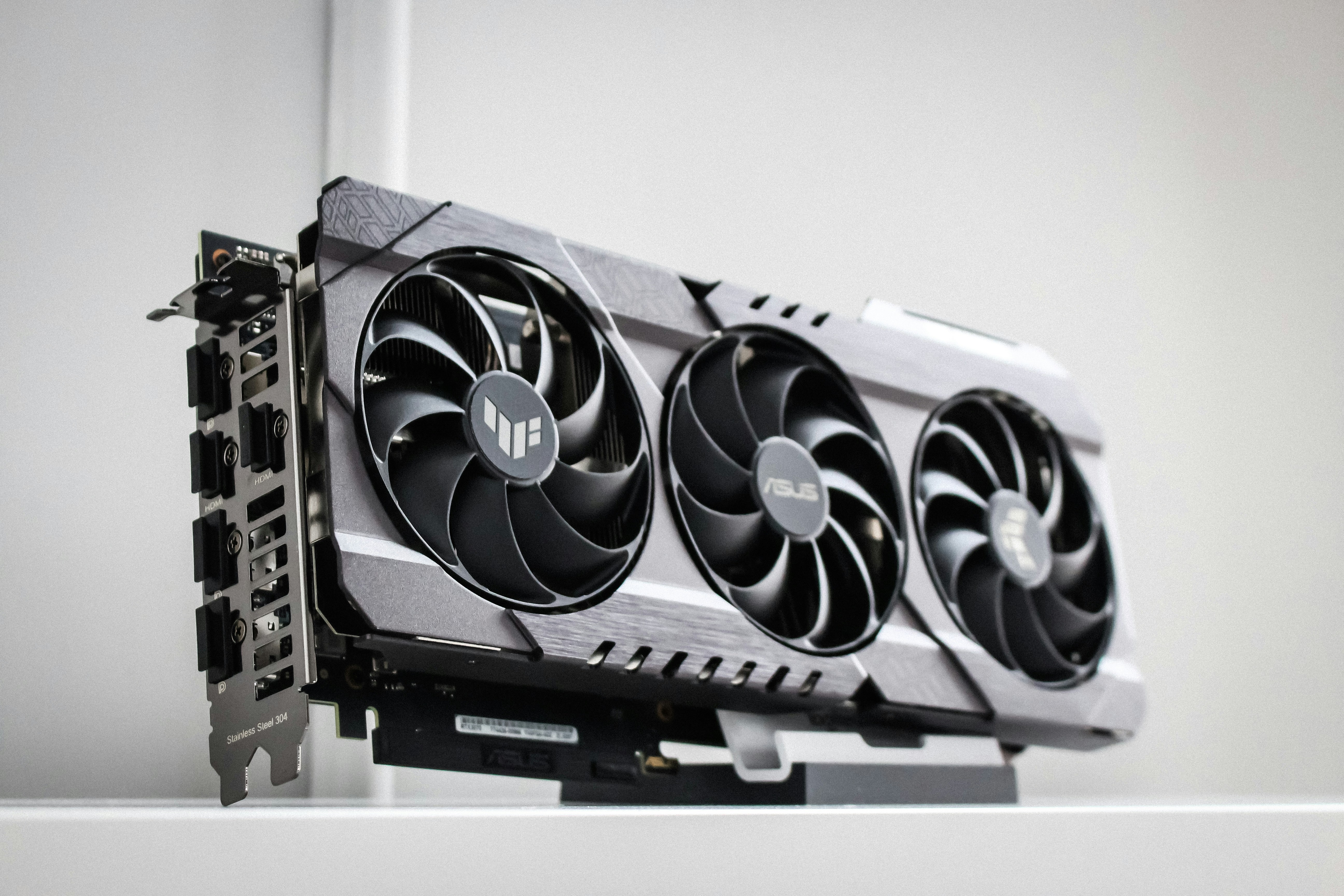
The NVIDIA RTX 5090 is the best GPU for running AI image models locally. It's the fastest consumer card and has 32GB of memory, but it now sells for roughly $5,000 to $7,000.
The RTX 5070 Ti is the best choice for most people, with 16GB, NVIDIA's FP4 and FP8 speedups, and a street price around $1,250 to $1,400.
For 32GB without paying for a 5090, AMD's Radeon AI PRO R9700 and Intel's Arc Pro B70 both ran ComfyUI without workarounds in Puget Systems' tests.
16GB is the realistic floor in 2026. An 8GB card can run small models like FLUX 3 Image Klein, but bigger models crash or slow to a crawl.
A memory shortage has pushed nearly every card well above its launch price, so check current listings before you buy.
Memory comes first. The model, its text encoder, and the image you're generating all need to fit in the card's VRAM, and when they don't, ComfyUI moves parts of the model into system RAM and generation slows down sharply. Speed comes next, and it depends mostly on memory bandwidth and the card's tensor cores. Software matters more than it does for gaming. NVIDIA's CUDA is what almost every ComfyUI custom node is written and tested for, AMD gained official ComfyUI support on Windows in January 2026, and Intel cards run through PyTorch's XPU backend. NVIDIA's RTX 50 cards also support NVFP4, a 4-bit format that NVIDIA says runs models up to three times faster in ComfyUI with 60% less VRAM, while FP8 works on both the 40 and 50 series.
Model | Practical VRAM |
|---|---|
FLUX 3 Image Klein | 8GB with the INT8 build, 11.2GB for the full-precision weights alone |
FLUX.2 Klein 4B | About 8.4GB |
SDXL | 10 to 12GB (crashed on 8GB cards in ComputerBase's test) |
Z-Image Turbo | 16 to 19GB for a full ComfyUI workflow at 1024x1024 |
FLUX.2 Klein 9B | 16GB or more |
FLUX.2 dev | 24GB with a 4-bit GGUF, 32GB for FP8 |
FLUX.2 dev has 32 billion parameters, so even its FP8 version is about 32GB before the text encoder. Quantized GGUF versions and ComfyUI's offloading let smaller cards run big models, but every gigabyte that spills into system RAM costs speed.
GPU | Best for | VRAM | Price (launch / street) |
|---|---|---|---|
NVIDIA RTX 5090 | Best overall | 32GB | $1,999 / about $5,000 to $7,000 |
NVIDIA RTX 5070 Ti | Most people | 16GB | $749 / about $1,250 to $1,400 |
AMD Radeon AI PRO R9700 | 32GB on a budget | 32GB | $1,299 / about $1,700 to $2,000 |
Used NVIDIA RTX 3090 | Cheapest 24GB with CUDA | 24GB | $1,499 / about $1,250 to $1,450 used |
NVIDIA RTX 5060 Ti 16GB | Entry-level NVIDIA | 16GB | $429 / about $770 |
Apple Mac Studio (M5 Max) | Mac users and huge models | 36GB to 128GB shared | From $2,499 |
Intel Arc Pro B70 | Cheapest new 32GB card | 32GB | $950 / about $950 to $1,100 |
The RTX 5090 is the fastest consumer graphics card for image generation, and the only one with 32GB of memory and NVIDIA's full software stack.
What works: In ComputerBase's SDXL test from its 2025 launch reviews, it made an image in 5.4 seconds, against 7.5 seconds for the RTX 4090 and 9.0 for the RTX 5080. Black Forest Labs' launch page says the distilled INT8 version of its new FLUX 3 Image Klein model makes a 1-megapixel image in about four seconds on a 5090. The 32GB of GDDR7 fits FLUX.2 dev in FP8, Qwen-Image, and video models like Wan 2.2 14B with room to spare, and NVFP4 support means newer 4-bit model releases run faster still.
What doesn't: The price. It launched at $1,999, but TechSpot's lowest US price in August was $4,900, and Tom's Hardware's tracker showed $6,919 in early November. It draws 575W, NVIDIA recommends a 1,000W power supply, and owners kept reporting melted 12V-2x6 power connectors through 2025, so use a native cable and seat it fully.
Best for: Anyone who runs the largest image and video models every day and can justify the cost.
The RTX 5070 Ti is the cheapest card with 16GB and real Blackwell speed, which is the sweet spot for local image generation in 2026.
What works: It made an SDXL image in 11.1 seconds in ComputerBase's test, about twice the 5090's time for a fraction of the price. It supports NVFP4 and FP8, so it gets the same speedups as the 5090 on newer model releases, and 16GB covers FLUX 3 Image Klein, the FLUX.2 Klein models, SDXL with LoRAs, and quantized versions of bigger models. Everything in ComfyUI works on it without extra setup.
What doesn't: FLUX.2 dev and Wan 2.2 14B need heavy quantization or offloading on 16GB, and its street price of about $1,250 to $1,400 is far above its $749 launch price.
Best for: Hobbyists and creators who want fast, trouble-free ComfyUI without paying for a 5090.
The R9700 is a 32GB workstation card based on AMD's RDNA 4 architecture, sold at gaming-card prices.
What works: Puget Systems ran Z-Image Turbo in ComfyUI on it with AMD's ROCm 7.2 software and no code changes, at 3.6 seconds an image, or 16.8 images a minute. Its 32GB matches the 5090, so it holds big models without quantizing, and it draws 300W. It launched at $1,299 and now sells for about $1,700 to $2,000, roughly a third of what a 5090 costs. ComfyUI's Windows desktop app has supported AMD cards officially since January 2026.
What doesn't: It's slower than NVIDIA's top cards and has no NVFP4. On Windows, AMD only supports PyTorch, not the rest of ROCm, and AMD lists a known Linux bug where Wan 2.2's 5B video model produces corrupted colors on this card. Some custom nodes still assume an NVIDIA card.
Best for: Users who need 32GB for large models and are comfortable troubleshooting.
The RTX 3090 is a 2020 card, but its 24GB of memory keeps it in demand for local AI.
What works: 24GB fits FLUX.2 dev as a 4-bit GGUF, Qwen-Image in FP8, and Wan 2.2 14B, which 16GB cards struggle with, and it runs every CUDA tool and custom node without question. Used listings in September averaged about $1,250 to $1,450.
What doesn't: It's an older Ampere card without FP8 or FP4 hardware, so it misses the speedups newer cards get. Used prices are close to a new 5070 Ti, which is faster and comes with a warranty, and a secondhand card may have spent years mining or rendering. It draws 350W.
Best for: Users who need 24GB for bigger models and want to stay with NVIDIA.
The 16GB version of the RTX 5060 Ti is the cheapest way to get 16GB of memory with NVIDIA's latest features.
What works: It runs the same models as the 5070 Ti, including FLUX 3 Image Klein, the FLUX.2 Klein models, and SDXL with LoRAs, and it supports NVFP4 and FP8. It's also a lower-power card, so it fits most existing PCs without a new power supply.
What doesn't: Its 128-bit memory bus makes it noticeably slower than the 5070 Ti, and at about $770, it costs nearly 80% more than its $429 launch price. Avoid the 8GB version, which costs less but can't run many current models comfortably.
Best for: Beginners and anyone adding AI image generation to a budget PC.
Apple's Mac Studio shares one pool of memory between the CPU and GPU, so it can load models far bigger than any consumer graphics card.
What works: The M5 Max version starts at $2,499 and goes up to 128GB of unified memory, while the M5 Ultra, from $5,499, reaches 512GB. Apple says the M5 Max is up to 3.5 times faster at text-to-image than the M4 Max, thanks to new Neural Accelerators in its GPU, and the Mac app Draw Things already uses them. It's quiet, compact, and draws far less power than a PC with a 5090.
What doesn't: It's still slower than a high-end NVIDIA card for the same image, and ComfyUI's instructions list Apple silicon support only through the M4 so far. Many custom nodes and video workflows assume CUDA, and Apple charges a lot for memory upgrades.
Best for: Mac users and anyone who needs to load very large models more than they need speed.
The Arc Pro B70 is Intel's 32GB workstation card, released in 2026 at $950.
What works: In Puget Systems' tests, it ran Z-Image Turbo in ComfyUI in an average of 3.9 seconds an image with no patches or workarounds, using PyTorch's native Intel support, and Puget measured the R9700 at 3.6 seconds in a separate test. It draws just 230W, and Puget priced it at about $1,110 in July.
What doesn't: Intel's AI software is the least mature of the three, and Intel users report that Wan video samplers fail on Arc cards like the B580 because they lack 64-bit floating-point support. It's slower than NVIDIA's top cards and has no NVFP4.
Best for: Users who want 32GB new for the least money and mostly generate still images.
The RTX 5080 is fast, about 23% quicker than the 5070 Ti at SDXL in ComputerBase's test, but it has the same 16GB and now sells for about $2,000, more than the 5090's launch price. Intel's Arc B580, at about $330, is the cheapest card here with 12GB and runs SDXL in about 24 seconds an image. NVIDIA's DGX Spark has up to 128GB of memory, from $4,999 for the 64GB version NVIDIA added in October, but it took 43.8 seconds for one image from the full 50-step FLUX 3 Image Klein model in NVIDIA's own chart, so it suits huge language models better than image work. For professionals, the RTX PRO 6000 Blackwell has 96GB, but NVIDIA's own store listed it at $16,000 in August 2026.
AI data centers are buying enormous amounts of memory, and the shortage has pushed up the cost of the memory on graphics cards. TechSpot's August survey found the RTX 5090 at 145% over its launch price in the US, and Hardware Unboxed reported that prices rose about 35% over the three months to October. Cards with 16GB or more have risen the most, since gamers and AI users are competing for them. NVIDIA's rumored RTX 50 Super cards with more memory haven't launched, and reports in October suggested they could slip to 2027.
The NVIDIA RTX 5090. It's the fastest consumer card and has 32GB of memory, but it costs roughly $5,000 to $7,000 now. For most people, the RTX 5070 Ti, at about $1,250 to $1,400, is the better buy.
At least 16GB for a good experience in 2026. SDXL needs 10 to 12GB, FLUX 3 Image Klein runs in 8GB with its INT8 build, and FLUX.2 dev needs 24GB with a 4-bit version or 32GB for FP8.
Only for small and distilled models like FLUX 3 Image Klein. SDXL at full precision crashed on every 8GB card in ComputerBase's test, so 8GB is a frustrating starting point.
Only if you need 24GB. A used 3090 costs about the same as a new RTX 5070 Ti, which is faster and supports FP8 and FP4, but the 3090's extra memory runs bigger models like FLUX.2 dev and Wan 2.2 14B with less compromise.
Yes. ComfyUI added official AMD support on Windows in January 2026 and supports ROCm on Linux, and Puget Systems ran it on the Radeon AI PRO R9700 without code changes. Expect more bugs and fewer optimized model formats than on NVIDIA.
A Mac can load bigger models than any consumer graphics card because of its unified memory, and the M5 chips are much faster at image generation than earlier ones. It's still slower than a high-end NVIDIA card, and some ComfyUI workflows only support CUDA.